Showing posts with label instructional technology. Show all posts

Engaging Students with High Yield Teaching Strategies and Technology

“Our students must learn not only how to use current technologies, but also how to evaluate which ones work best for particular tasks or projects,” write Howard Pitler, Elizabeth R. Hubbell, and Matt Kuhn in their latest edition of Using Technology with Classroom Instruction That Works, 2nd Edition. In the digital age, that is the crux of our instructional problem: how do we give students the experiences with digital technologies that make them effective consumer-users? And, how do we do this without being technologically-tool centered, when the tools so rapidly change? Pitler, Hubbell, and Kuhn offer one effective approach: focus on the instructional methods that work, and then engage students in using technology while employing those research-based instructional strategies. Using the high-yield instructional strategies found in the book Classroom Instruction That Works, the authors show how technology might be employed in the service of using each of these instructional strategies:
  • Setting Objectives and Providing Feedback
  • Reinforcing Effort and Providing Recognition
  • Cooperative Learning
  • Cues, Questions, and Advance Organizers
  • Nonlinguistic Representations
  • Summarizing and Note Taking
  • Assigning Homework and Providing Practice
  • Identifying Similarities and Differences
  • Generating and Testing Hypotheses
Using Technology with Classroom Instruction That Works takes readers through each of these high-yield instructional strategies and then points out specific kinds of technologies that lend themselves to helping teachers engage in those teaching strategies. For example, Identifying Similarities and Differences is a strategy that research says brings  the highest levels of gains in student achievement. Pitler, Hubbell, and Kuhn’s book gives educators ideas on how  to engage students in the use of this instructional strategy through the use of different categories of technological tools. At the same time, the authors offer readers many examples of how practicing teachers are using those technologies in the manner they describe. The categories of technologies these authors focus on include:

  • Word Processing Applications
  • Organizing and Brainstorming Software
  • Data Collection and Analysis Tools
  • Communication and Collaboration Software
  • Instructional Media (Learner as Consumer)
  • Multimedia Creation (Learner as Producer)
  • Instructional Interactives
  • Database and Reference Resources
  • Kinesthetic Technology

Using Technology with Classroom Instruction That Works is not a "how-to" book when it comes to employing technology in the engagement of instruction. Rather, it is a "big-picture" book that surveys the field of technological tools and helps the teacher connect with the kinds of technology she might wish to use in the classroom. Educators in the classroom up to district leaders, who are interested in what kinds of tools teachers and students can use with research-based instruction, will find this book quite useful.

You have read this article classroom instruction / instructional leadership / instructional technology / technology leadership with the title instructional technology. You can bookmark this page URL https://serres-media.blogspot.com/2012/08/engaging-students-with-high-yield.html. Thanks!

3 Lessons Schools Can Learn From an Obsolete Hometown Newspaper

Today, I was attempting to read an article from our local newspaper's website. I was trying to access an article through my RSS Reader, when I got the following pop-up:

Subscribe Now
Thanks for being a frequent visitor to HickoryRecord.com. You've now viewed your monthly allowance of 5 free premium articles. We're glad you enjoy our site.
Want to read more? For full access, please purchase a monthly or annual Online Unlimited digital subscription for as little as $4.95/month.
If you are already a print subscriber, you can upgrade your account to receive complete access to hickoryrecord.com and our E-Edition. If you have already purchased your online access with your print subscription, just click "Next" below to enroll or call us at 828-384-6479 to upgrade your newspaper subscription to include our digital services.


Our small town newspaper, The Hickory Daily Record, is a mediocre newspaper at best for a number of reasons. First of all, I was once a subscriber, but I stopped home delivery because there would be stretches of days I would not receive it. I would then have to call their office, and the paper seemed content to just give me a credit when I did not receive it rather than find a way to deliver a paper. They inevitably did this rather than resolve the issue of delivery. Secondly, there's not a been a great deal of content in its pages for quite sometime. The paper edition is primarily advertisements, and the paper has had to cut its reporting staff back so much, they aren't even capable of providing the news, except what  news comes to them. Finally, the Hickory Daily Record has become irrelevant as a news source in our region. I can access free news channels such as our local TV stations, and the Charlotte Observer's site and get more information about the happenings in my hometown  than I can in my hometown newspaper. In all honesty, The Hickory Daily Record has become little more than a neighborhood newspaper with absolutely no impact on the community. It is a dinosaur that is still trying to avoid extinction. In some ways, I think public education is trying to avoid the same fate.

As you can see from the pop-up message I received, I could continue reading the article I wanted to see if I paid them $4.95 a month, but I won't pay them and I won't read the article. The whole problem is, the content offered by the Hickory Daily Record isn't worth $4.95 a month to me. You can scan their web site in less than 5 minutes. Unlike the larger newspapers, there isn't a wealth of content, certainly not 5 dollars a month worth. All this brings me to my point, "Newspapers basically still do not get it." While I have no idea how profitable the Hickory Daily Record's efforts to charge for online content is, it can't be sustainable. A glance at their site tells your they offer no amazing exclusive content you can't find elsewhere. A lot of the articles are from news wire services that offer the same text free. And, there is so little news content to begin with, in comparison to larger news sites. The bottom line is my small town newspaper is still caught in 20th century ways of delivering content and appears to be doing little to change. I can't help but wonder if our schools are still caught in the same time warp. We still try to deliver education the way we've always done too. So what can schools learn from my small town newspaper's predicament? Here's three things for thought:

1. In a digital age, we can't simply take what we've always done and post it online or digitize it and call it education. Our technology is clearly disrupting how we do things in our schools, and we'll not contain that force by trying to simply package what we're doing into 21st century packages. We need to fundamentally re-think and re-engineer everything we do in schools and take full advantage of the possibilities of the digital age.

2. We need to fundamentally re-think our digital content which is student learning. If newspapers want to have a hope of surviving online or off, they have to focus on content. People will only pay for content if they see it as engaging or useful, and if they can't get it elsewhere. As schools in the digital age, we must focus on our own "content" which is student learning. Everything we do, from front office procedures to instructional strategies in the classroom need to be about student learning. We need stop being distracted by everything that is not about student learning.

3. Twenty-first century schools need to acknowledge the competition. Newspapers like my small hometown paper haven't done this very well. They are still holding on to the belief that they offer something readers can't get elsewhere. They haven't acknowledged the competition. Whether charter schools, private schools, or virtual schools are better at raising student achievement is still debatable. That argument probably will not be settled any time soon, and most likely it will never be settled. The reality for public schools is that we have competition. Instead of expending large amounts of time discrediting the competition, let's use that energy to make our public schools better. Let's focus on what is most important.

Everyone knows newspapers haven't fared well under the onslaught of web content. Most barely survive. Some have learned that users will pay for content, if that content is of high quality, and if users can't get that same content from elsewhere. My hometown newspaper is still caught in an old paradigm that believes they can approach web content like they did paper content. They can simply post the same content from their newspaper online and people will pay for it. Of course they have tried to add some unique content like videos and information data bases, but its hard to say they've changed their content delivery model very much.  Maybe some will pay 5 dollars a month for this content, but I won't and I am sure many others won't as well. The newspaper is losing me as potential customer and I am sure there are others. If they want me to click that "Pay $4.95 Month" button they need to give me something I do not already have. Public schools would do well learn from this too. If our students aren't getting the education our parents want them to have, they aren't going to keep paying for our schools either. We have to give them the kinds of student learning they can't get elsewhere.
You have read this article 21st century leadership / 21st century principal / 21st century schools / education reform / educational leadership / instructional technology / school technology leadership with the title instructional technology. You can bookmark this page URL https://serres-media.blogspot.com/2012/05/3-lessons-schools-can-learn-from.html. Thanks!

How to Become a Connected Educator: Developing an Effective PLN

According to Sheryl Nussbaum-Beach and Lani Ritter Hall, “Teachers must learn to model connectedness and enable students to develop personal learning networks, made up of people and resources from both their physical and virtual worlds---but first, teachers must become connected collaborators themselves.”  With that, in their book The Connected Educator: Learning and Leading in a Digital Age, Nussbaum-Beach and Hall introduce the idea of the teacher-modeler of connectedness, and throughout their book, they tell educators how to become a “connected educator.”


The Connected Educator: Learning and Leading in a Digital Age

Nussbaum-Beach and Hall begin by defining what a connected educator is. According to these authors, a connected educator has these characteristics:


  • Connected educators are "do-it-yourself learners." They don't wait for someone to deliver professional development to them. They seek out professional development and learning that meets their individual needs.
  • Connected educators have a "network of collective wisdom" to turn to when information and knowledge is needed. Educators who are connected have fostered and developed, over time, a network of other professionals to turn to for professional knowledge needs.
  • Connected educators are "collaborative learners." They rely on others to help provide learning and they contribute to the learning of those in their personal learning network.
  • Connected educators have moved away from the "paradigm of isolation and closed doors" to sharing a strong commitment with other educators to learn and understand more and more about teaching and learning. The educator who is connected no longer closes their classroom door and carries on teaching. They actively enlist the help of others and offer their help in return.
  • Connected educators have leveraged online networks to solve their instructional problems through crowdsourcing and relying on the wisdom of the crowd for resources on teaching and learning. The educator who is connected does not hesitate to engage others in the face of the issues and problems of teaching. They use the crowd to learn more about the craft of teaching.
After providing a clear definition of what it means to be a connected educator, Nussbaum-Beach and Hall then provide clear guidance on how to develop this connected learning for educators, which tools to use, and how to sustain being a connected learner over time.
Nussbaum-Beach and Hall's book The Connected Educator: Learning and Leading in a Digital Age is powerful book. For the educator and 21st century leader who is just wading in to the development of personal learning networks, it provides a clear path to making that happen. For the experienced connected educator, you walk away with a comprehensive understanding of what personal learning networks are, how they work, and how to optimize your own network. It is an excellent manual for administrators too, who want to transform educational practice in their schools or districts to capitalizes on 21st century technologies.
You have read this article 21st century leadership / 21st century leadership tools / connected educators / instructional technology / Personal Learning Networks / PLN / social media with the title instructional technology. You can bookmark this page URL https://serres-media.blogspot.com/2012/03/how-to-become-connected-educator.html. Thanks!

What School Leaders Need to Know About Digital Technologies and Social Media

For the administrator who would like a general, not-too-technical overview of digital technology and social media, the book What School Leaders Need to Know About Digital Technologies and Social Media, edited by Scott McLeod and Chris Lehmann is the answer. It provides answers to the administrator who feels just a bit lost when someone starts talking about blogs, wikis, or Twitter, or who isn’t quite sure about all this talk about 1:1 initiatives, open source software, or using mobile phones in the classroom. What School Leaders Need to Know About Digital Technologies and Social Media is an excellent, easy-to-read resource for every administrator and teacher-leader’s library.


This book is an extensive odyssey through all of the hot topics in instructional technology right now. Readers are provided with a complete overview of the field, in short-easy-to-read chapters. Various authors, most of them techno-gurus in their fields, write chapters that provide concise descriptions of digital tools like blogs, wikis, social media, RSS Feeds, online courseware, and many others. In each of these chapters are practical take-back-to-your-school tips, guidelines, and ideas for integration and implementation. There are also links to many of the most well-known digital and social media tools. At the end of every chapter, are lists of  resources for those who would like to explore further.

There are other books available that provide a survey similar to what is offered in What Every School Leaders Need to Know About Digital Technologies and Social Media, but none of them are written just for administrators and focus specifically on the technology as this one does. It is a small book that provides big answers to both administrators and teacher leaders wanting to see what possibilities digital technologies and social media offers the educator and school leader of the 21st century.


You have read this article 21st century leadership / digital technologies / educational leadership / instructional technology / school leadership / social media with the title instructional technology. You can bookmark this page URL https://serres-media.blogspot.com/2011/12/what-school-leaders-need-to-know-about.html. Thanks!

My 11 Favorite Chrome Browser Apps and Extensions

I have not hid the fact that Chrome is my browser of choice, and from the looks of articles like this one, “Google’s Chrome Browser Surging Past Firefox”, it looks many more are beginning to choose the browser as their favorite. One of the features of Chrome that I like are the extensions and the Apps that can be downloaded and used.

Chrome Apps Page
For those not familiar with Chrome extensions and Chrome apps, the difference between the two is that Chrome Extensions run within the browser window from a button located in the upper right hand corner and a Chrome app is an application that runs in its own browser window, usually accessed through an icon on the apps page within the browser. While Firefox offers its users the same experience, I have grown to appreciate the reliability and functionality of the many apps and extensions within my Chrome browser.

While I have posted my favorite Chrome Extensions and apps before, my list of favorites has changed a bit since then. Here's my latest.

Quick Note: Quick note is another one of those apps that make it possible to be paperless. With Quick Note, users can quickly add and edit notes. Notes that are added are fully searchable, and if you have a Diigo account, you can sync those notes to the cloud. That means you can use Diigo’s Web and sharing capabilities to both access your notes and share them with your Diigo groups. Those developing the app indicate in the Chrome Web Store they may integrate the app with other Web tools like Evernote and Dropbox in the near future. Quick Note is a simple to use note taking tool located right in  your browser.

Quick Note
Kindle Cloud Reader: About eight months ago, I became an avid e-book reader. I own two Kindles, and I have the Kindle app on every PC I use and on my iPad. I even have the Kindle app on my Android phone. With the Kindle Cloud Reader, I can access my growing Kindle e-book library even on machines that do not have the Kindle application installed. In addition, the Kindle Cloud Reader has a sleek interface and is so easy to use, there are times when I simply use it to read my books. Currently there are three things I wish I could do in the Kindle Cloud Reader that I can’t do: 1) Highlight text, 2) Enter reading notes, and 3) Access my newsstand items. I can see text I’ve highlighted in other Kindle Apps, but I can’t highlight. Also, there are times a thought occurs to me while reading, and I love being able to attach it to the text. As far as accessing my Newsstand items? I would love to be able to check out my newspaper and magazines from the Kindle Cloud Reader too. Still, reading from the Cloud Reader is a pleasant and easy experience.

Kindle Cloud Reader
Read Later Fast: I’m just learning about the power of this app. I’m always stumbling across a Web article that I just don’t have time to read. With this app, I can post an article to my Diigo account for future reading. I can even include the graphics. Read Later Fast integrates entirely with my Diigo account and adds another level of flexibility to an already versatile web tool. I can open these Web articles using this app and read according to my schedule.

Read Later Fast
Offline Google Mail: This app basically gives me an interface for my Gmail account and allows me access email offline. You can also compose email which is stored and later synced with the Web. Offline Google Mail is an excellent email client right in your Chrome Browser.

Offline Google Mail
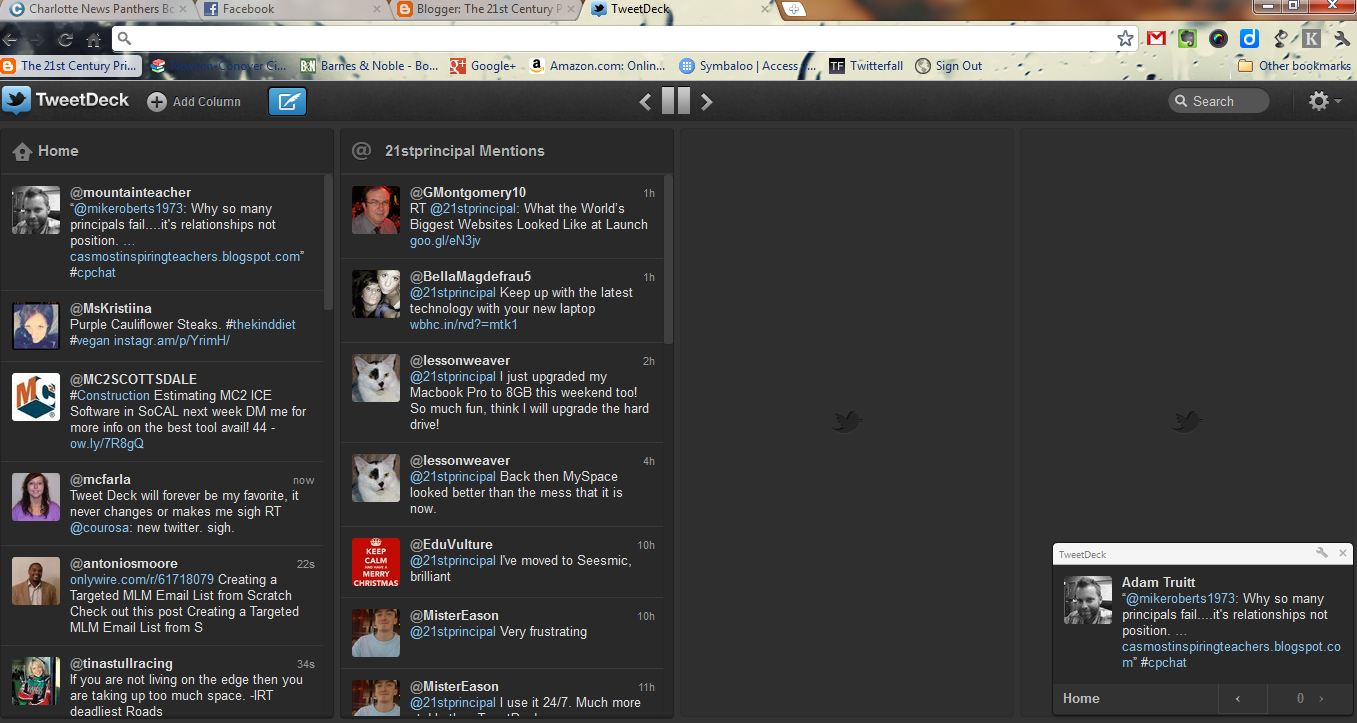
Tweetdeck: Tweetdeck also has a Chrome app as well. This app works pretty much like the separate Tweetdeck app. Twitter recently updated this interface to look exactly like its desktop Tweetdeck app. Twitter users will find this app works as well as the other Tweetdeck products.


Here is a list of my favorite Chrome Extensions.

Evernote Clearly: This extension takes a blog post, article or Web page and transforms it into an easy-to-read format and then places it into your Evernote account. That means you can later access these articles with any device running an Evernote app. This is one of the must-have Chrome extensions. I was even able to convert an article to a PDF and send it to my Kindle to read there.

Evernote Clearly Interface
Diigo Toolbar: This extension is one of my most used. I have posted about it before. It allows users to highlight, bookmark, add a sticky note, or share a web page with basically the click of a button. Diigo users will love adding this tool to their browser. An excellent extension that adds even more functionality to your Diigo account.

Diigo Extension Toolbar
Awesome Screenshot: This tool allows users to take snapshots of Web pages and the screen, annotate them, then save them either on the desktop or into your Diigo account. This is a very useful extension for capturing graphics for later sharing. It is also another extension to add functionality to your Diigo account.

Awesome Screenshot
Evernote Web Clipper: There are many times I stumble across a Web page that I might want to share or use later. The Evernote Web Clipper allows users to clip those pages and place them directly into one of their Evernote notebooks. This extension adds functionality to your Evernote account.

Twitter Share This Page: There are quite a few times I find a Web article that I just have to Tweet out. This extension puts a button in my Chrome browser that allows me to do just that. When I find a page to share with my PLN, I can click on this button, edit the outgoing message and just Tweet it out. URL’s are automatically shortened too. Must have extension for Twitter users who use the Chrome browser.

Send to Kindle: This extension allows users to send any Web content they find to their Kindle for later reading. For example, suppose you stumble on an article of length that you would like to spend some time reading later. You can use the Send to Kindle extension to put it on your Kindle.

As more and more Chrome apps and extensions become available, my favorite list grows. Chrome apps and extensions are ways to get the most out of both the browser and your favorite Web tools.
You have read this article 21st century educational tools / 21st century leadership / 21st Century School Leadership / Chrome Apps / chrome extensions / educational leadership / instructional technology with the title instructional technology. You can bookmark this page URL https://serres-media.blogspot.com/2011/12/my-11-favorite-chrome-browser-apps-and.html. Thanks!

Administrators Can Be Paperless Too: 7 Tools to Make It Happen

I have read a great deal on the web about teachers making their classrooms paperless, which brings the following question to mind: "Why can’t school administration become paperless too?" How many times in the course of my job do I use paper in the line of duty? Is it necessary to have physical copies of everything I do as a school principal? The answer to that last question is a 99% no of course. The 1% are usually district level documents that someone is just not quite comfortable yet with having a cyber-copy only. In reality it is possible to eliminate much of the paper used during the course of carrying out administrator duties, and to do so with inexpensive tools.  Here’s my suggested list of tools to make the role of principal or school administrator paperless too.
  • Google Docs: Google Docs’ sharing feature makes the act of copying and distributing a document of any kind, whether wordprocessing, spreadsheet, or presentation, just plain sinful. For example, if you want to provide your faculty with agenda, why not share a a Google Document version of it with them? Then, just send them an email invite. Or, if you want them to have a copy of a professional development presentation, send them an email invite to it as well. There’s little need to provide staff with copies of documents any more. Of course, the administrator has to be willing to allow staff to use their technology during meetings, but what 21st century school leader is going to ban staff or meeting participants from using technology? Might as well have your meetings in the dark.

  • Email: Of course email is considered just a bit passé by many, but there is no better tool that allows you to put directions and information in writing to your staff. For example, if you need to get procedures to your staff regarding an up-coming open house, send it to them by email. If you need to get a parent message to a teacher, send it by email too. The amazing but simple thing about email is you have a written record of what you sent so there can be no dispute about what was said. But what about the teacher who does not read his email regularly? Sorry, but he wouldn’t survive in my school, and probably not in my district. Perhaps he needs to find a job in the jungle somewhere, away from the 21st century world of technology.
  • Dropbox: Dropbox is another one of those tools that can make school administration paperless. While sharing single documents through Google Docs works well, occasionally there are multiple, lengthy documents or media that I want to share more efficiently. With Dropbox, I can place all those items in a folder and share that folder with whichever staff members need access. For example, I created an accreditation folder in Dropbox that contained all of the data and documents the accreditation team needed and invited them to share that folder. There was no need to make piles of copies of data and documents and place them in folders or notebooks. They had access to everything electronically. Dropbox makes making copies of any major documents an anachronism.

  • Evernote: I don’t even have a yellow legal pad in my possession any more. Evernote’s abilities to give the user a platform to take notes makes tablets (not the electronic kind) a total waste of money. For example, while sitting in a meeting, I can take notes on those proceedings. The features that make Evernote most useful for this are: 1) instant access on any of my technological devices and 2) ability to share the resulting document with anyone else. Evernote has apps for the desktop, smartphones, and all tablets, so getting to your notes is even quicker than digging them out of your briefcase. Being able to share those notes with others either through social media or through email means no trips to the copier when you want to share them. Evernote is the most versatile piece of software in a battle against using paper for adminstrative purposes.

  • Diigo: I only recently began using Diigo more in my role as administrator. I have always shared resources and interesting ideas with staff, but often it was done through either a handout or by email. Email will keep you paperless, but when it comes to sharing links to web resources, Diigo does so much better. I have set up Diigo groups geared to specific staff members and invited them to join. Now, I can post links to Web resources to those groups and because Diigo sends emails when those have been updated, my staff gets updates rather quickly. Diigo is an excellent way to share resources quickly and easily with staff members and even parents.

  • Skype or Google Talk:  Because our entire staff has Skype accounts and is logged in immediately in the mornings, Skype has become an excellent way to share out information even more quickly. For example, if I need to announce a procedural change for an event later in the day, I can get that out instantaneously by sending it out by Skype. Staff can just as quickly ask for clarification too. Google Talk functions in the same manner of course, except it messages individuals rather than groups. Both these tools take away the need to write short notes or memos. These are more tools to keep me away from the copier or from reaching for the notepad.
  • Blogger (Or Other Blog Platform): Having a school newsletter on paper is another anachronistic habit. There are so many ways to create and distribute information in a newsletter-format, it makes no sense to print them any more. Blogging, however, is one of the easiest ways to provide newsletter-like information to staff or parents. A blog gives administrators the ability to share school news with constituent groups quickly and easily, and students can’t lose them on the way home to school. Blogs also allow for the delivery of multimedia content too. That’s something you can’t deliver through a paper copy.
Of course there are other tools out there that could contribute to making the job of school administrator as paperless as possible. These are just some of my personal, most-used tools. If we want to encourage our teachers to become paperless and use the copier less, then as school leaders we need to take the lead and engage in becoming paperless too.
You have read this article 21st century leadership / administrative tools / instructional technology / paperless schools / technology leadership / Web 2.0 Tools with the title instructional technology. You can bookmark this page URL https://serres-media.blogspot.com/2011/12/administrators-can-be-paperless-too-7.html. Thanks!

My Top 5 Blog Posts for 2011

After looking back over posts made during the course of this past year and examining the number of page views, here's my top five posts for the year.


Amazingly enough, the top post for the year was one I did in November 2010. Here's that one:


Thanks to all those who have shown support by visiting my blog during the past year. Blogging is for administrators!
You have read this article administrator blogging / educational leadership / educational technology / instructional technology / technology leadership with the title instructional technology. You can bookmark this page URL https://serres-media.blogspot.com/2011/12/my-top-5-blog-posts-for-2011.html. Thanks!

21st Principal’s Big List of Must-Have Administrator Tech Knowledge

Just the other day, I was asked, “What 21st century tools would you say every administrator needs to know and understand how to use?” It’s an important question, and I think I have tried to answer that question continuously through this blog.  While there are the technological tools that help with administrator’s duties, there are other tools administrators need to know and be able to use simply because of their potential impact on instruction.


This first list describes some of the "tech-knowledge" I think administrators need to have to understand technology as it exists today, and the direction in which it is going. Here's a list of what I consider to be important 21st century administrator general technology knowledge and abilities.
  • Use and understand cloud-based applications: With so many of our school functions moving to cloud-based applications, administrators need to understand what the cloud really is, what it means for data, and how to use cloud-based applications to enhance educational initiatives. There should never be an administrator who asks, “What’s this cloud they keep talking about?”
  • Use and understand social media platforms: Instead of giving in to fear and trying to find ways to limit access and use of social media platforms by educators, 21st century administrators need to be engaged heavily in the use of these platforms to both promote their educational organizations and to communicate with stakeholders.
  • Subscribe to RSS feeds: While there are fewer options for engaging in following RSS feeds, it still is one of the best ways to mine the information morass on a daily basis. Using a feed reader allows an administrator to be more selective in both information sources and in the amount of information they have to sift through to stay current professionally and personally.
  • Use web platforms to post information and communicate with stakeholders: Being able to engage in communicating with others in a cyber-environment is a must for 21st century administrators. To really be able to take advantage of the cyber-media, administrators need to be able to understand its intricacies and quirks. They need to be able to take advantage of its features. This means being able to engage in effective 21st century communication.
Web 2.0-Cloud Tools: If I were to select specific Web 2.0-Cloud tools that administrators should know how to use, here’s my not-so-short list.
  • Evernote: This is a note taking and Web collection tool. It has both web and desktop applications and a premium version that can be obtained at low costs. http://www.evernote.com/
  • Diigo: Diigo is a social bookmarking site. With its tools,  the administrator can share 21st century information and tools with staff and others. It is also an excellent way to share notes too. It is a collection tool too, just like Evernote, but its sharing ability makes it more of a collaborative tool. http://www.diigo.com/
  • Dropbox: Dropbox is a way to get to rid of the need to use flash drives. It is the easiest way yet to store files online and access them with any device. It is also an easy way to share files too.  http://www.dropbox.com/
  • Edmodo:  Edmodo is the premier social classroom environment. It is an easy way to engage with others in a social, cyber environment. http://www.edmodo.com/
  • Engrade: This is one of the simplest to-use online gradebooks I’ve found. It allows administrators to access student grades, and parents too. A few added features like online quizzes and flashcards make it even more useful. http://www.engrade.com/
  • Google Reader: This is one of the easiest to use RSS feed readers. Google reader allows users to bring what they want to know to their desktop. www.google.com/reader
  • Google +: Google + is relatively new, online social media environment. It allows users to connect synchronously and asynchronously. It is also possible to organize those you communicate with into circles which are groups. https://plus.google.com/
  • Google Apps (Email, Calendar, Google Sites, Google Docs): This collection of apps only get more and more powerful. Users can also engage in real-time collaboration with these tools.  http://www.google.com/apps/intl/en/edu/
  • Twitter: Twitter is a most used microblogging website on the web. Tweeting out information in 140 character bursts are the norm. http://twitter.com
  • Facebook: You have to have been living in a cave lately to not have heard of Facebook. I include this one on the list because administrators need to both learn how to use it and understand it. Too often it is being banned and thrown out because of the bad things that have happened with its use. http://www.facebook.com/
  • Blogger (Or another blogging platform): Blogging is an essential way to connect with others and to disseminate ideas and information. In my opinion, administrators need to be bloggers to see its true potential as a provider of authentic writing experiences. www.blogger.com
  • Kindle E-Readers and Nook E-Readers (All Devices):  Being able to engage and use an E-reader by all educators is a 21st century must-have skill. Download the free Kindle apps here: Free Kindle Apps. Download the free Nook apps here: Free Nook Apps.
  • Wikispaces (or other wiki platform of preference):  Being able to engage in the use of wikis, no matter which product, is a must for the 21st century educator. Understanding how to use them helps administrators see their educational applications. Also, there are collaborative administrative tasks that could also be carried out using a wiki. http://www.wikispaces.com/
  • Prezi: Prezi is a presentation application alternative to PowerPoint and other slide-oriented presentation programs. http://prezi.com/
Other Web Apps or Honorable Mentions: These are applications I have used, but that haven’t become a regular part of my own Web 2.0-Cloud Apps toolbox.
  • Symbaloo:  A personal Desktop sharing tool. Can be used to share links or bookmarks with others.  http://www.symbaloo.com/
  • Springpad: Another note taking and task management application. http://springpadit.com/home
  • Wall Wisher: A presentation program of sorts that allows users to post notes on a virtual wall. It is fully collaborative too.  http://www.wallwisher.com/
  • Wordle: A tool that allows users to create appealing representations using text and words.These are called word clouds.  http://www.wordle.net/
Software Knowledge
  • Office Suite Programs (Whether MS Office, Open Office, or Libre Office) Obviously, all 21st educators need to be able to engage in the most common software tools found in an office suite. http://www.openoffice.org/ and  http://www.libreoffice.org/
  • Photo-Editing Software (I Use Picasa 3): Being able to edit photos and alter them using editing software is a must. My tool of choice is currently Picasa. It’s free.  http://picasa.google.com
  • Inspiration: I consider this one of the best buys in educational and productivity software. Inspiration allows users to create informational maps or outlines. http://www.inspiration.com/
Device Specific Knowledge
  • Basics of Smartphone Technologies: Being able to use and understand these devices as a 21st century administrator is a must.
  • iPads and other Tablets: Administrators still fighting to keep these devices out of their schools are already fossils. Administrators need to know how to use these devices and be leading the way in exploring how to use them instructionally.
  • Smartboard Technology: Understanding smartboard technology is paramount. Too often administrators see these devices and immediately think they need one for every classroom. If administrators were more knowledgeable, they would perhaps see that having one in every classroom isn’t necessary.
I realize my list of all things Techie and administrator might want to know about is lengthy. I also realize that the individual apps and devices are subject to change rather quickly. Still, the 21st century administrator engages in using and understanding technology constantly. Perhaps this list will help guide technologists in deciding which kinds of training they want to conduct for their administrators,
You have read this article 21st century learning tools / 21st Century School Leadership / instructional technology / school administration / school administrator technology tools / technology leadership / Web 2.0 school administrators with the title instructional technology. You can bookmark this page URL https://serres-media.blogspot.com/2011/11/21st-principals-big-list-of-must-have.html. Thanks!